
Used-Line dealers can promote their products and bring more potential buyers to their equipment listings with one or more of our special marketing Add-Ons. Each of our three Add-Ons offers a unique function that will enhance your advertising on Used-Line. Let’s take a look at the Used-Line InStock Icon.
InStock Icon Add-On
The In-Stock icon highlights ads for items that are currently in your inventory.
How the InStock Icon works
The InStock Icon highlights listings for equipment that is currently in your inventory and can ship immediately.
Nothing is more frustrating for a buyer than to order equipment, and then to find out that the item is not currently in stock. A dealer who can ship immediately has an edge on those who are unable to provide a short-term delivery date or who cannot guarantee availability of the item in the near future.
But how does a user know which sellers are stocking their requested item right now?
He looks for the Used-Line In-Stock Icon, of course! IN STOCK
The Used-Line In-Stock Icon is an Add-On you can purchase from a Used-Line Sales Representative or purchase directly on the Used-Line website.
How to add In-Stock Icons to your listings
- If you have purchased your listing plan on the Used-Line SELL page:
- Click Start Selling under For Large-Volume Sellers .
- Select the In-Stock Icon checkbox.
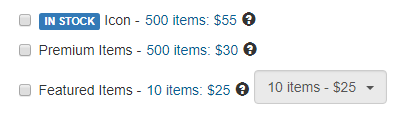
Used-Line Add-Ons
All the products that are labelled as in stock on your website, will be shown with the Used-Line InStock Icon. If none of your products are labelled as in stock on your website, then all of your product listings will be shown with the InStock Icon.
- If you purchased your listing plan by consulting with a Used-Line representative, you may have chosen to show that some of your items are in stock – but not necessarily all your items.
To tell the Used-Line Spider which of your products are in stock:
- Send an Excel Spreadsheet to data@used-line.com. Include all the columns as described on our website, making sure to include a column labelled, in_stock.
- Enter a “1” or the words, “in stock” in the column labelled in_stock, next to each item that is currently in your inventory.
After purchasing the In-Stock add-on, your green In-Stock labels will appear as follows when your ads are automatically uploaded to Used-Line via the Robot or your spreadsheet.
- If any of your automatically listed equipment is marked as “in stock” on your website, then these items will be labeled as in stock on Used-Line – with the Used-Line InStock add-on.
Or
- If none of your automatically listed equipment is marked as “in stock” speak to your Sales Rep about how best to used your In-Stock add-on. If all of your listings are currently in stock, but not listed as such on your site or on your spreadsheet, then all of your ads can be listed with the In-Stock label.

 THE ACADEMIC YEAR 2016/2017 IS HERE
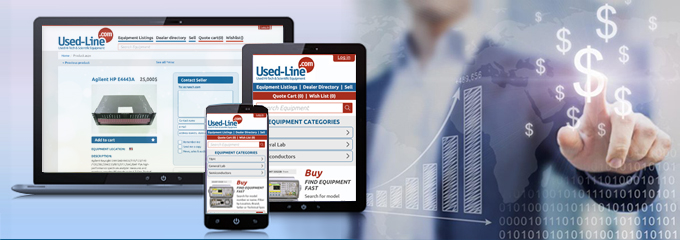
 You have the right audience. Your ad is targeted to Used-Line’s specialized audiences. What are your specialties? Gas Chromatographs? Logic Analyzer Modules? Clean Room Equipment? Well, go ahead and advertise. Your ad will be viewable on the listings page of your specialty.
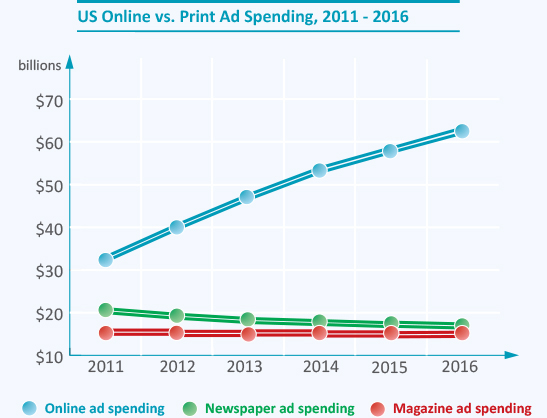
  Your listings work 24 hours a day. Well, sure. Used-Line is global. There are users all over the globe checking your listings at any moment of the day. An online audience is HUGE and is INTERESTED. Offline audiences are harder to reach and need to be persuaded. Online audiences are typically right there where you want them to be – where your listings are. More importantly, online audiences are right where they want to be.
  Your listing on Used-Line brings the user to you immediately. Of course, you could be fast asleep! After all, many of us are – at 3:00 AM. But if a user on the other side of the world sees something he likes after clicking your listing, and fills a quote cart or shopping cart, then you’re in business without lifting a finger!


 As a starting point, it is always better to use very precise, specific keywords to narrow your results so that they best match your needs. Simply begin searching for exactly the machine you need. If you need specific options or features, use them in your query as well.